
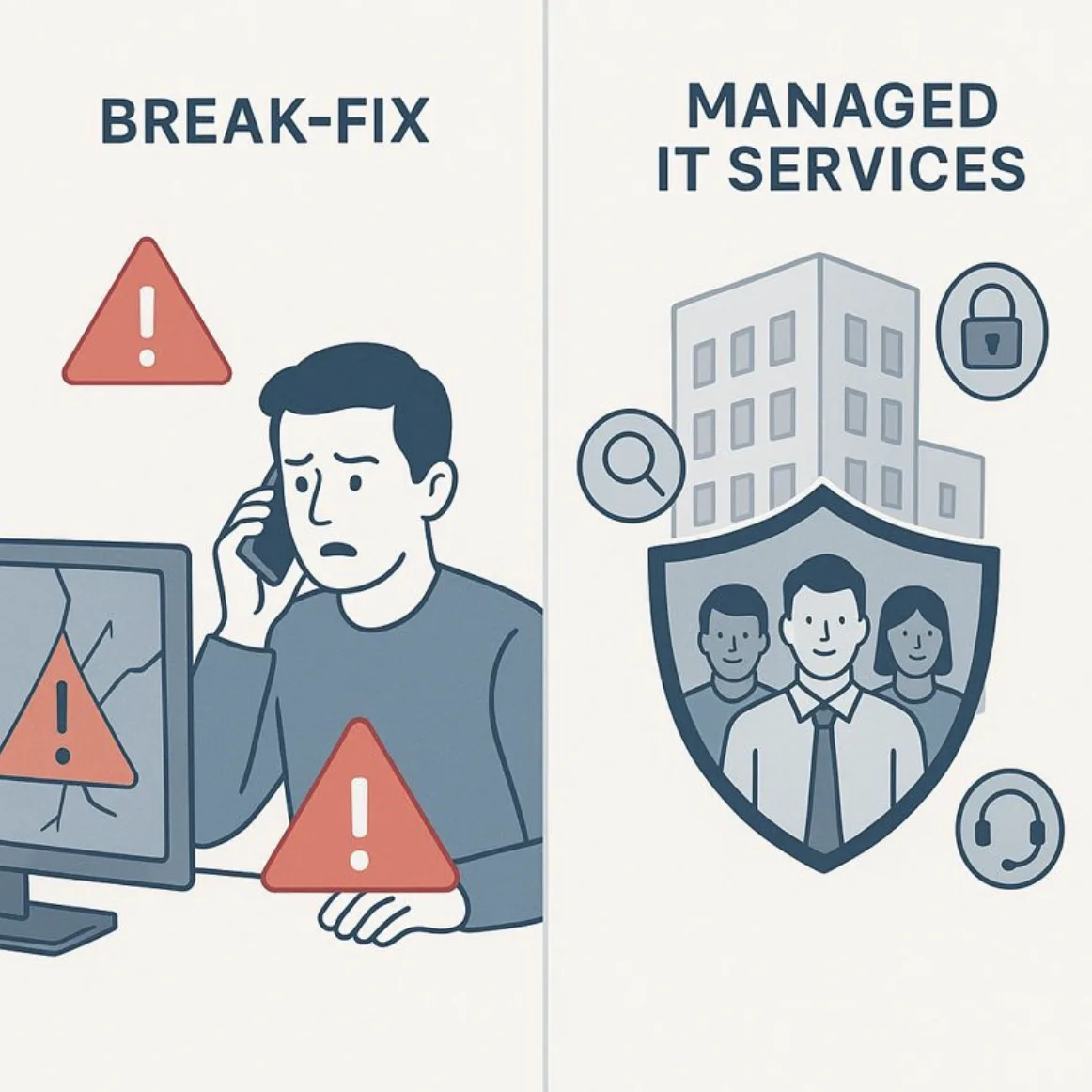
While that reactive model may have worked years ago, it’s no longer enough for today’s businesses—especially those in regulated industries like banking, financial services, and healthcare.
True Managed IT Services are not about reacting to problems after the damage is done. They are designed to prevent disruptions, reduce risk, and create predictable, stable IT environments that support business growth.
In this article, we’ll break down what Managed IT Services really include, what they don’t, and why the difference matters more than ever.
What Managed IT Services Are
Managed IT Services mean your entire IT environment is proactively monitored, maintained, secured, and supported by a dedicated team—usually for a predictable monthly cost.
Instead of waiting for users to report issues, Managed IT focuses on identifying and resolving problems before they impact operations.
This proactive approach is especially important today, as cyber threats, compliance requirements, and uptime expectations continue to rise. If you’re unfamiliar with how today’s threats affect smaller organizations, our January blog on cybersecurity basics for small and regulated businesses provides helpful background and context.
What’s Typically Included
1. 24/7 Monitoring and Alerting
One of the biggest differences between break-fix IT and Managed IT Services is continuous monitoring.
With Managed IT, critical systems are monitored around the clock, including:
- Servers and infrastructure
- Network performance
- End-user devices
- Security alerts and suspicious activity
If something starts to fail—or looks unusual—your IT team is alerted immediately. In many cases, issues are resolved before employees even notice a problem.
Not sure what’s being monitored in your current environment?
Talk to an IT specialist about proactive monitoring.
This kind of oversight directly supports the layered security approach discussed in our January blog on why layered cybersecurity matters.
Managed IT Services also include responsive, ongoing help desk support for your team.
This typically covers:
- Login and access issues
- Slow or malfunctioning computers
- Email and application problems
- Day-to-day technical questions
Instead of waiting days for help or relying on internal staff to “figure it out,” employees get timely, knowledgeable support from technicians who understand your environment.
The result? Less frustration, less downtime, and more productive employees.
Security is not an optional add-on in Managed IT—it’s foundational.
Managed IT Services usually include core cybersecurity protections such as:
- Endpoint protection for devices
- Email filtering to reduce phishing attacks
- Patch management to close known vulnerabilities
- Multi-factor authentication (MFA) enforcement
- Backup monitoring and alerting
This proactive security model aligns closely with the threats outlined in our January post on common cyber threats explained in plain English.
Rather than responding to incidents after data is compromised, Managed IT focuses on risk reduction and prevention.
Want to know where your biggest security gaps are today?
Outdated systems are one of the most common entry points for cyberattacks—and one of the most overlooked risks in break-fix environments.
Managed IT Services ensure that:
- Operating systems stay current
- Applications are patched regularly
- Known vulnerabilities are addressed promptly
Updates are scheduled strategically to minimize disruption, keeping systems secure without interrupting daily operations.
This proactive maintenance plays a key role in preventing the types of credential-based and software-exploit attacks discussed in our January blog on why passwords alone aren’t enough.
Backups are only valuable if they work—and if someone is actively verifying them.
Managed IT Services typically include:
- Automated backups
- Daily monitoring of backup success
- Regular testing of recovery processes
- Defined recovery plans for critical systems
If ransomware, hardware failure, or human error occurs, recovery plans are already in place.
This level of preparedness dramatically reduces downtime and data loss.
One of the most overlooked benefits of Managed IT Services is strategic guidance.
Rather than making IT decisions reactively, businesses receive ongoing support with:
- IT budgeting and forecasting
- Technology lifecycle planning
- Compliance considerations
- Long-term infrastructure strategy
This is often delivered through vCIO (virtual Chief Information Officer) services, which help align technology decisions with business goals.
IT becomes predictable, intentional, and supportive of growth—not a constant source of surprises.
What Managed IT Services Are Not
It’s just as important to understand what Managed IT isn’t.
Managed IT Services are not:
- Just fixing broken computers
- A one-size-fits-all solution
- A generic call center with no industry knowledge
A true Managed IT partner understands your regulatory environment, risk profile, and operational needs—especially in industries where compliance and uptime are critical.
Why This Difference Matters
Organizations that rely on reactive, break-fix IT often experience:
- Frequent downtime
- Security gaps
- Compliance challenges
- Unpredictable IT costs
Managed IT replaces chaos with stability, visibility, and control.
This shift becomes even more important when considering the real financial and operational impact of outages, which we’ll explore further in an upcoming post on the hidden costs of downtime.
Real-World Example
A regional financial services organization relied on break-fix IT for years. While issues were eventually resolved, outages were becoming more frequent, and security concerns were growing—especially during audits.
- 24/7 system monitoring
- Proactive security management
- Predictable monthly IT costs
- Clear documentation for compliance reviews
Most importantly, leadership no longer worried about whether systems would be available or secure—they finally had confidence in their IT environment.
Frequently Asked Questions
Is Managed IT more expensive than break-fix IT?
Not usually. While Managed IT has a consistent monthly cost, it often reduces overall spending by minimizing downtime, emergency repairs, and security incidents.
Can Managed IT work with internal IT staff?
Yes. Many organizations use Managed IT to supplement internal teams through co-managed IT services.
Does Managed IT help with compliance?
Absolutely. Managed IT supports documentation, security controls, and monitoring that are essential for regulated industries.
Is Managed IT only for large organizations?
Final Thought
Managed IT Services are not about outsourcing responsibility—they’re about gaining a trusted partner who keeps your technology stable, secure, and aligned with your business goals.
Instead of reacting to problems, you gain a proactive strategy that reduces risk, controls costs, and supports growth.
0 Comments